Important Linux Foundation CKAD Exam Questions
Linux Foundation Certified Kubernetes Application Developer CKAD Exam
Attempt the Kubernetes Application Developer practice test and solve real exam-like CKAD questions to prepare efficiently and increase your chances of success. Our Linux Foundation CKAD practice questions match the actual Certified Kubernetes Application Developer exam format, helping you enhance confidence and improve performance. With our CKAD practice exam software, you can analyze your performance, identify weak areas, and work on them effectively to boost your final Kubernetes Application Developer exam score.
| Vendor: | Linux Foundation |
|---|---|
| Exam Name: | Certified Kubernetes Application Developer |
| Registration Code: | CKAD |
| Related Certification: | Linux Foundation Kubernetes Application Developer Certification |
| Exam Audience: | Kubernetes Application Developer, Kubernetes Developers, |
Total Questions
48
Last Updated
24-07-2026
Exam Duration
120 MINUTES
Upgrade to Premium
GET FULL PDFQuestion: 1
Refer to Exhibit.

Task:
A Dockerfile has been prepared at -/human-stork/build/Dockerfile
1) Using the prepared Dockerfile, build a container image with the name macque and lag 3.0. You may install and use the tool of your choice.

2) Using the tool of your choice export the built container image in OC-format and store it at -/human stork/macque 3.0 tar
Question: 2
Refer to Exhibit.
Task
Create a new deployment for running.nginx with the following parameters;
* Run the deployment in the kdpd00201 namespace. The namespace has already been created
* Name the deployment frontend and configure with 4 replicas
* Configure the pod with a container image of lfccncf/nginx:1.13.7
* Set an environment variable of NGINX__PORT=8080 and also expose that port for the container above
Question: 3
Refer to Exhibit.
Set Configuration Context:
[student@node-1] $ | kubectl
Config use-context k8s
Context
You sometimes need to observe a pod's logs, and write those logs to a file for further analysis.
Task
Please complete the following;
* Deploy the counter pod to the cluster using the provided YAMLspec file at /opt/KDOB00201/counter.yaml
* Retrieve all currently available application logs from the running pod and store them in the file /opt/KDOB0020l/log_Output.txt, which has already been created
Question: 4
Refer to Exhibit.
Context
A project that you are working on has a requirement for persistent data to be available.
Task
To facilitate this, perform the following tasks:
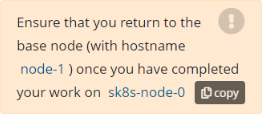
* Create a file on node sk8s-node-0 at /opt/KDSP00101/data/index.html with the content Acct=Finance
* Create a PersistentVolume named task-pv-volume using hostPath and allocate 1Gi to it, specifying that the volume is at /opt/KDSP00101/data on the cluster's node. The configuration should specify the access mode of ReadWriteOnce . It should define the StorageClass name exam for the PersistentVolume , which will be used to bind PersistentVolumeClaim requests to this PersistenetVolume.
* Create a PefsissentVolumeClaim named task-pv-claim that requests a volume of at least 100Mi and specifies an access mode of ReadWriteOnce
* Create a pod that uses the PersistentVolmeClaim as a volume with a label app: my-storage-app mounting the resulting volume to a mountPath /usr/share/nginx/html inside the pod

Question: 5
Refer to Exhibit.

Task:
1) Create a secret named app-secret in the default namespace containing the following single key-value pair:
Key3: value1
2) Create a Pod named ngnix secret in the default namespace.Specify a single container using the nginx:stable image.
Add an environment variable named BEST_VARIABLE consuming the value of the secret key3.
Other Linux Foundation Certification Exams
Kubernetes and Cloud Native Security Associate
Kubernetes and Cloud Native Associate
Certified Kubernetes Security Specialist
Prometheus Certified Associate
Certified Cloud Native Platform Engineering Associate
Certified GitOps Associate Exam